
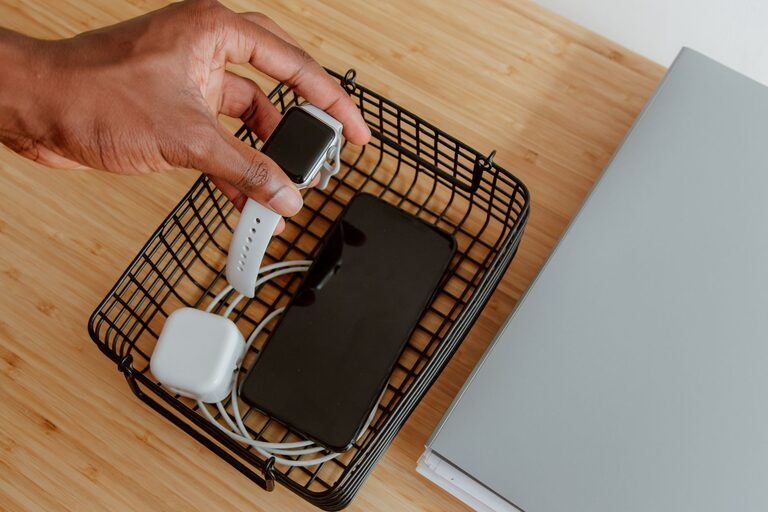

Setting up a dedicated charging station for your devices can save you time, reduce clutter, and keep your gadgets ready to use. Whether you have smartphones, tablets, smartwatches, or other portable electronics, an organized charging station brings convenience to your daily routine. In this guide, we’ll walk you through the steps to create an efficient and safe charging area at home.
Why Have a Charging Station?
Before diving into the setup, it’s helpful to understand the benefits of having a dedicated charging station:
– Keeps all devices in one place, reducing the chance of misplacing chargers or cables.
– Helps organize cables to avoid tangles and clutter.
– Protects devices from accidental damage or falls.
– Simplifies charging multiple devices simultaneously.
– Creates a neat and tidy appearance in your living area.
Step 1: Choose the Right Location
The first step is selecting a spot for your charging station. Consider these factors:
– Accessibility: Pick a central place like a desk, kitchen counter, or nightstand where you regularly use or store your devices.
– Power Source: Ensure there is a nearby electrical outlet to plug in chargers or power strips.
– Ventilation: Some devices can get warm while charging, so choose a well-ventilated area.
– Safety: Avoid locations where water or heat exposure is possible, such as near sinks or ovens.
Step 2: Gather Your Equipment
Depending on the number and types of devices you want to charge, gather the following supplies:
– Charging cables: For phones, tablets, smartwatches, wireless earbuds, etc.
– Charging adapters: USB adapters compatible with your devices.
– Power strip or surge protector: To plug in multiple chargers safely.
– Charging dock or station: Optional, designed to hold and charge several devices at once.
– Cable organizers: Clips, sleeves, ties, or boxes to keep cables neat.
– Container or tray: To hold smaller accessories like earbuds or watches.
– Labeling tools: Optional, for identifying cables and ports.
Step 3: Plan Your Layout
Consider how you want devices to be arranged. You might want:
– Separate spots for each device type.
– A tiered or vertical setup to save space.
– Easy access to cables and ports.
– A spot to place devices while charging (e.g., dock, stand, or tray).
Sketching a simple layout can help visualize the arrangement before setting up.
Step 4: Set Up Power and Cables
– Plug in the power strip or surge protector close to the chosen spot.
– Arrange charging adapters and cables, making sure they reach the station without stress.
– Use cable organizers to bundle and route cables neatly.
– Avoid letting cables dangle or become tangled, which can cause damage or safety hazards.
– Label cables if necessary to easily identify which one fits each device.
Step 5: Arrange Devices and Accessories
– Place charging docks, stands, or trays on the station.
– Connect devices to their respective cables.
– Store smaller accessories in a container or dedicated section to avoid losing them.
– If wireless charging is supported, consider including a wireless charging pad for convenience.
Tips for a Safe and Efficient Charging Station
– Use certified chargers and cables to protect your devices.
– Keep the area clean and dust-free to maintain good electrical contact.
– Avoid overloading power strips; check their power rating.
– Unplug chargers when not in use to save energy.
– Charge devices in a cool environment to prevent overheating.
– Regularly inspect cables and chargers for wear and replace if damaged.
Optional Upgrades
– Smart charging stations: Some come with built-in surge protection and multiple USB ports.
– Cable management boxes: Hide the power strip and excess cables for a cleaner look.
– Label holders or tags: Keep track of which cable goes to which device.
– Decorative elements: Make your station visually appealing with plants or artwork.
Conclusion
With a little planning and the right tools, you can create a charging station that keeps all your devices powered and organized. This not only improves the look of your space but also makes your routine smoother. Whether you have just a few gadgets or a whole collection, a dedicated charging station is a practical addition to any home. Start today and enjoy a clutter-free, efficient charging experience!