
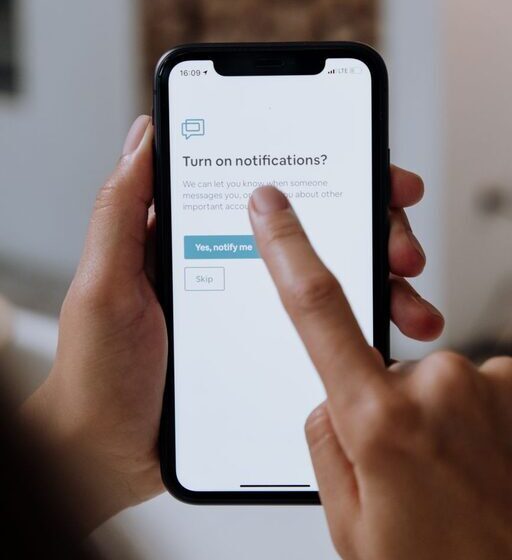

In today’s digital world, notifications keep us connected but can also become a source of constant distraction. Whether it’s your smartphone, computer, or tablet, the stream of alerts and reminders can interrupt your workflow, increase stress, and make it difficult to focus. Setting boundaries with notifications is an important step toward regaining control over your time and attention.
This post shares practical tips to help you manage notifications effectively so you can work smarter and enjoy more peace throughout your day.
Why Setting Boundaries with Notifications Matters
Notifications are designed to grab your attention quickly. While some alerts are helpful, many can become disruptive, often pulling you away from important tasks or quality time with others. Unchecked notifications may:
– Create stress and anxiety
– Reduce productivity and concentration
– Interrupt deep work or creative thinking
– Negatively impact your work-life balance
By establishing boundaries around when and how you receive notifications, you can minimize these downsides and create a healthier digital environment.
Tips for Setting Boundaries with Notifications
1. Conduct a Notification Audit
Start by reviewing all the apps and services that send you notifications. Ask yourself:
– Which notifications are truly important?
– Which can be silenced or turned off?
Go through your phone, tablets, and computer settings to see what alerts you receive and why. This helps you identify unnecessary interruptions and focus on what matters.
2. Customize Notification Settings
Instead of allowing all notifications by default, tailor your settings:
– Disable notifications for non-essential apps, like games or social media.
– Use “Do Not Disturb” modes during focused work sessions or meetings.
– Adjust notification sounds and vibrations, so alerts aren’t overly distracting.
Many devices and apps let you customize these settings easily.
3. Set Specific Times to Check Notifications
Constantly checking notifications can break concentration and reduce productivity. Establish specific times during the day to review alerts, such as:
– Checking email twice daily (morning and afternoon)
– Reviewing messages during breaks
– Avoiding notifications during deep work or night hours
This scheduled approach helps reduce the urge to check notifications constantly.
4. Use Technology to Your Advantage
Leverage built-in tools and apps designed to help manage notifications:
– Focus modes on smartphones that limit alerts from certain apps
– Email filters and rules to prioritize important messages
– Notification summaries that group non-urgent alerts together
These tools help you balance staying informed with staying focused.
5. Communicate Your Boundaries
If notifications come from work-related sources or group chats, let colleagues or friends know about your preferred communication times. Setting expectations helps others respect your boundaries and reduces pressure to respond immediately.
6. Practice Mindful Notification Habits
Be intentional about your response to notifications:
– Avoid the temptation to immediately respond unless urgent
– Resist multitasking when a notification arrives during focused work
– Celebrate small wins when you successfully ignore unnecessary alerts
Mindfulness can reduce the feeling of being overwhelmed by constant pings.
7. Create Tech-Free Zones or Times
Consider creating spaces or times where notifications are turned off or devices are put away, such as:
– During meals or family time
– Before bed and during sleep hours
– While engaging in hobbies or exercise
These breaks from digital interruptions enhance your well-being and relationships.
Conclusion
Notifications are a useful tool, but without proper boundaries, they can undermine your focus and peace of mind. By auditing your alerts, customizing settings, scheduling times to check notifications, using helpful technology, communicating boundaries, practicing mindfulness, and creating tech-free moments, you can restore control over your digital life.
Take small steps today to set these boundaries. You’ll likely notice improved productivity, reduced stress, and a better balance between your online and offline worlds.